Real notation, not a screenshot
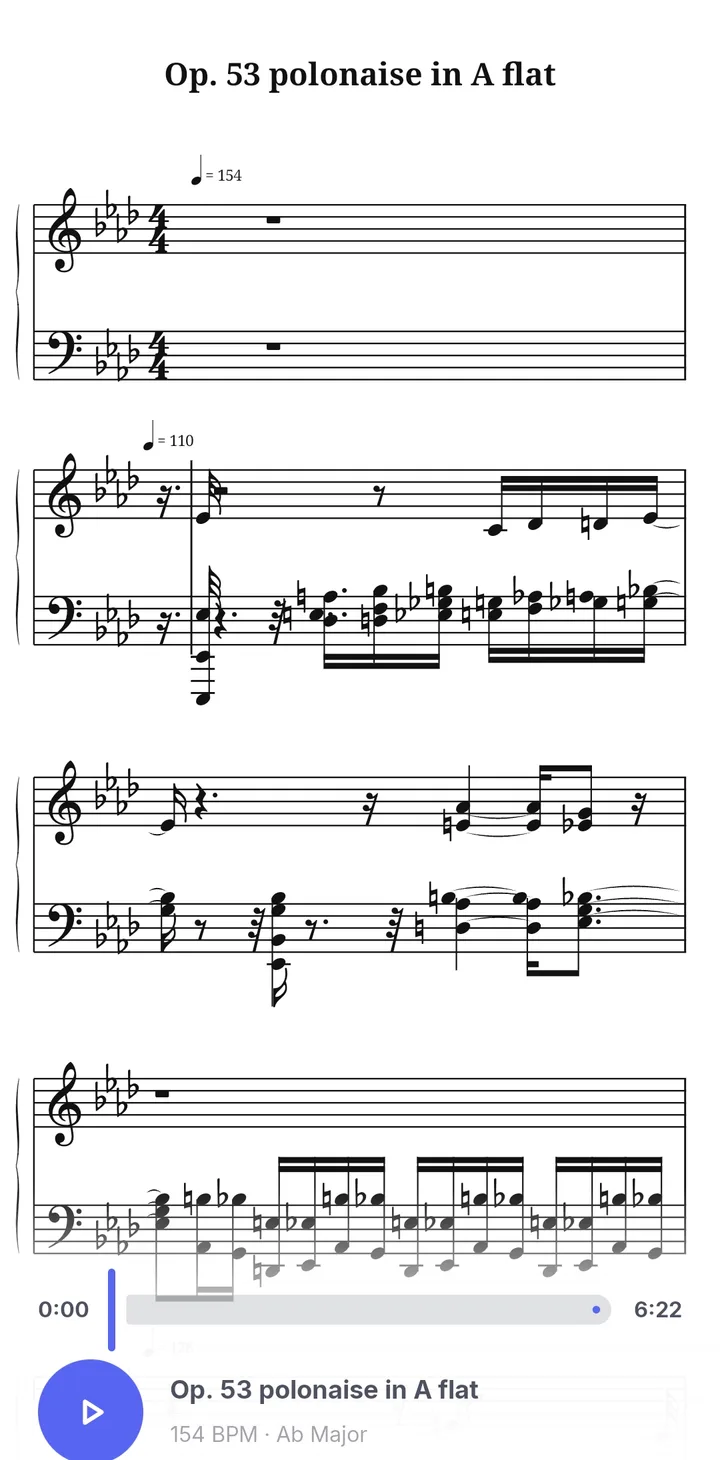
Notation is drawn by the app itself with the Bravura music font, so the symbols look like printed sheet music.
- Treble and bass staves joined by a brace.
- Key and time signatures, with accidentals only where they differ from the key.
- Beamed notes, ties, rests, dots and leger lines.
- Hands that cross staves when notes run far from the middle.
Play it and follow along
The score plays through the same piano sound as the Visualizer. Drag the slider, or tap any note, to jump to that spot and hear it.
Export to PDF
Tap Download PDF to save an A4 page set into your Downloads folder, ready to print or share. Free players see a short ad while the PDF is written; Premium sees none.
How it works
 1
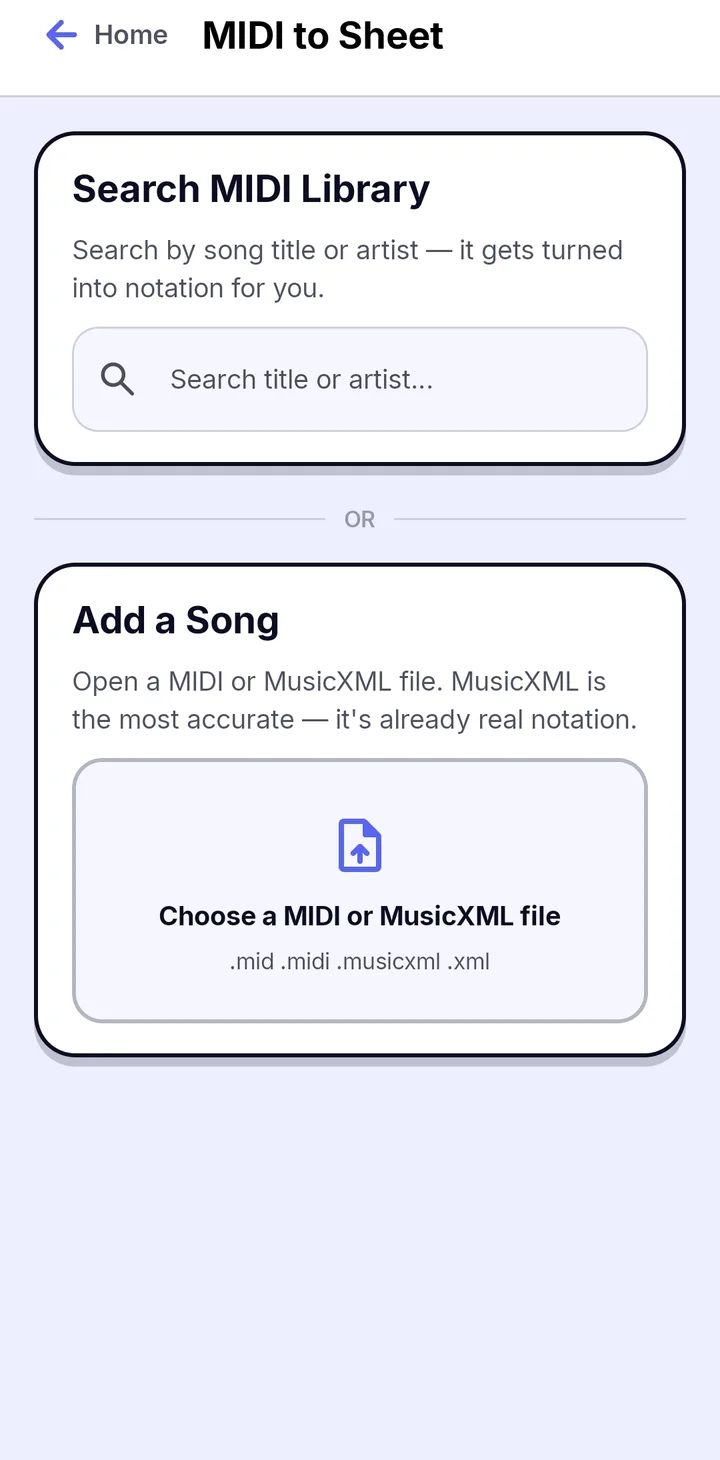
1Search or upload
Search the MIDI Library by song title or artist, or upload a MIDI or MusicXML file. You can also bring one over from Audio to MIDI.
 2
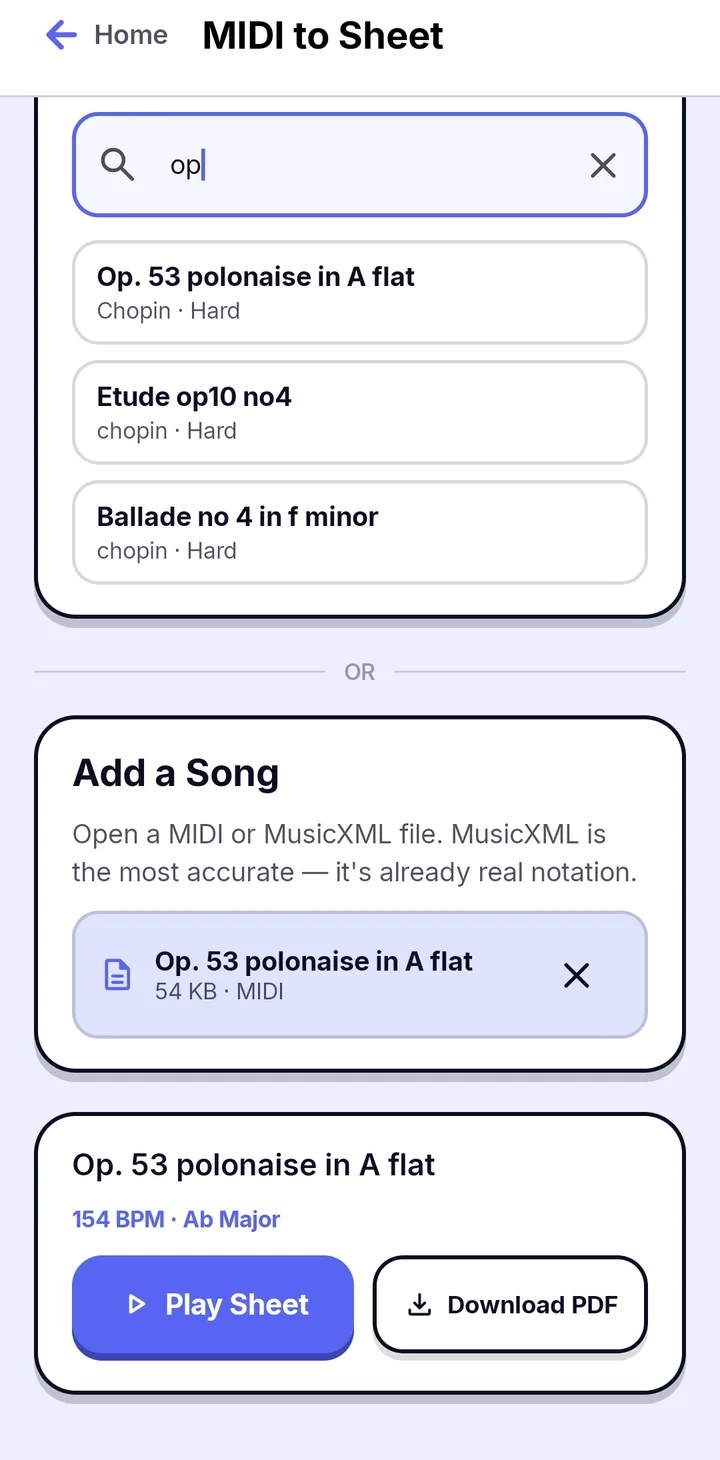
2Play or download
Papiano turns the notes into a two-staff piano score. Tap Play Sheet to read and listen, or Download PDF to save an A4 page.
 3
3Follow the sheet player
The score plays through the piano as you read. Drag the slider, or tap any note, to hear it from there.
Frequently asked questions
Can I make sheet music from an MP3 or a video?
Yes, in two steps: turn the audio into MIDI with Audio to MIDI, then open that MIDI in MIDI to Sheet.
Why does my sheet music look busy?
A MIDI recorded from a live performance has slightly uneven timing, which reads busier on paper than a score written note by note. Cleaner MIDI gives cleaner notation.
Does it open MusicXML?
Yes. MusicXML files are shown exactly as they were written.