Choose a chord or a scale
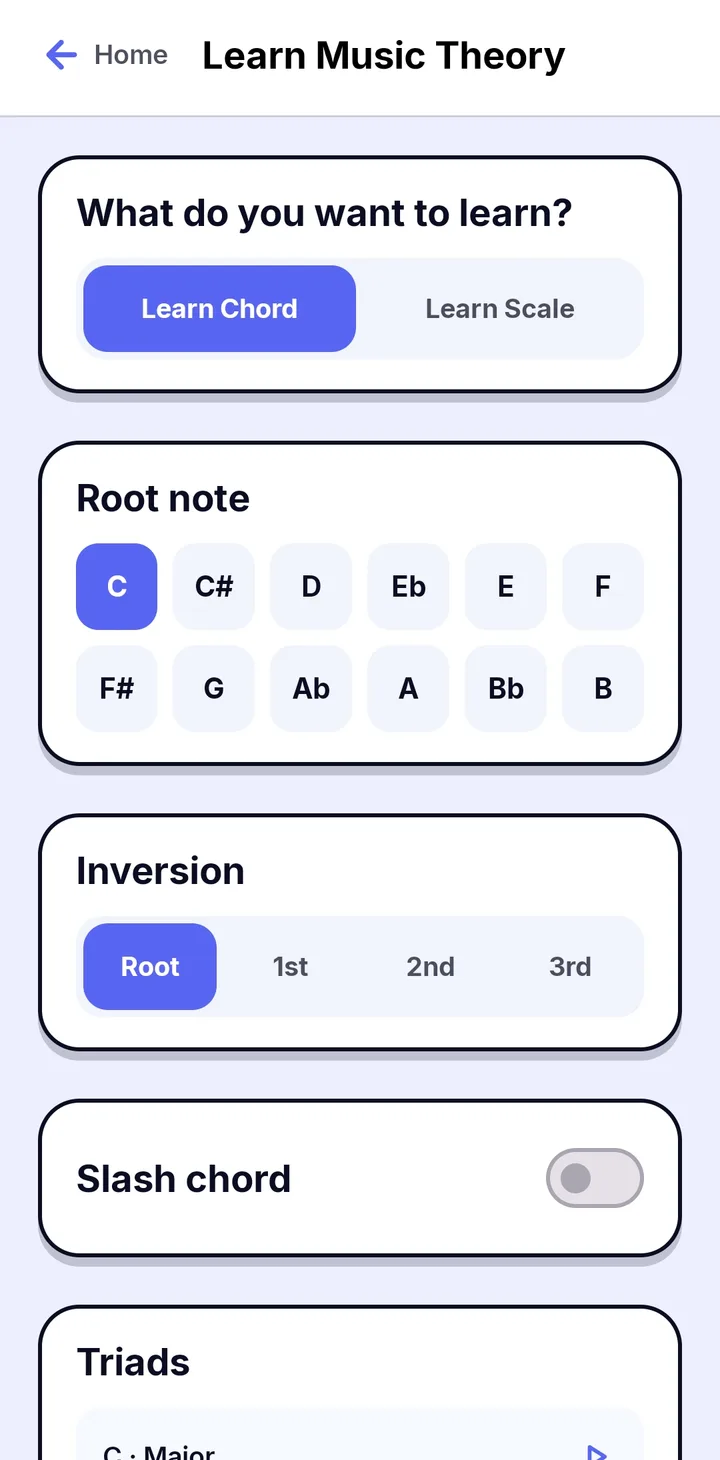
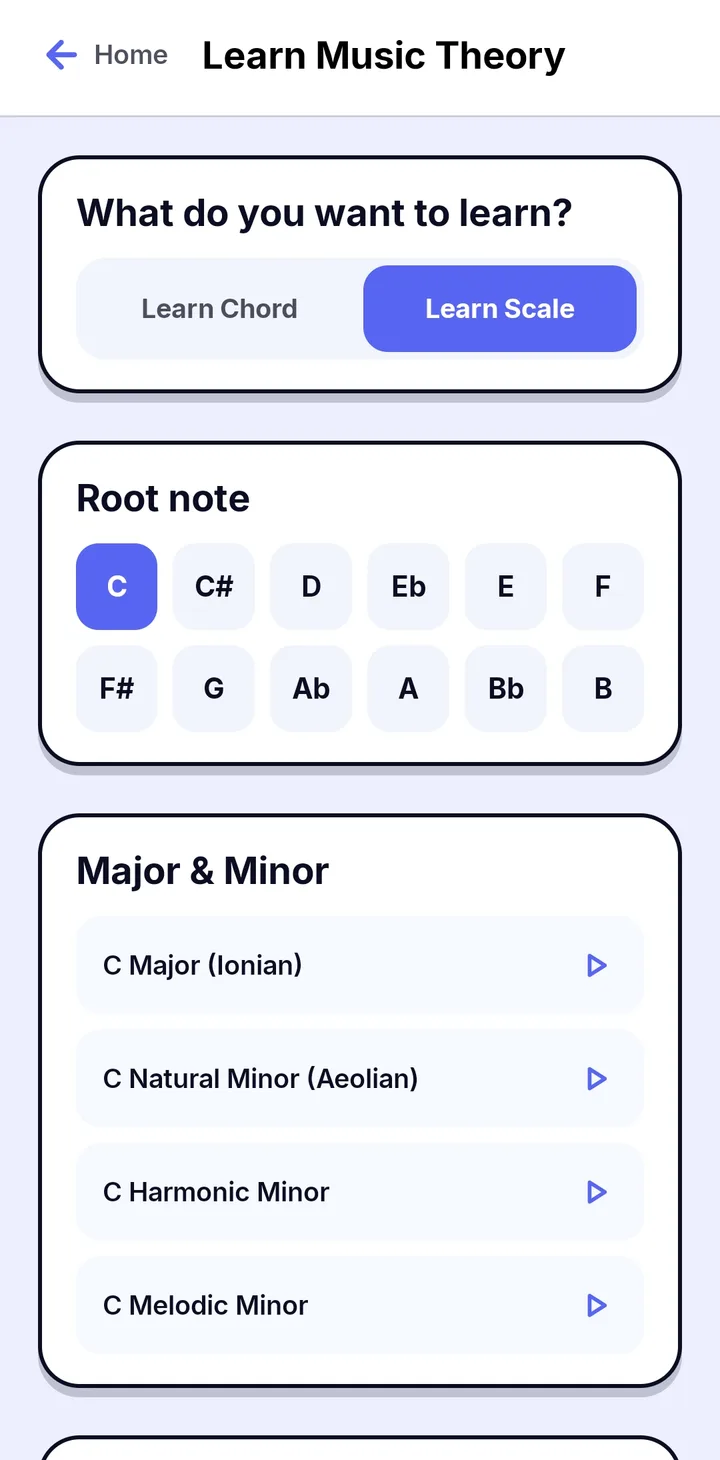
Open Learn Music Theory from Home and choose Learn Chord or Learn Scale. Pick a root note from all twelve notes, then choose what to practice.
- Chords: choose the inversion (Root, 1st, 2nd or 3rd), turn on Slash chord, and pick from lists such as Triads.
- Scales: Major and Minor, with Ionian, Natural Minor (Aeolian), Harmonic Minor and Melodic Minor, plus Modes.
- Tap the play button next to any chord or scale to practice it.
Play it on the keyboard
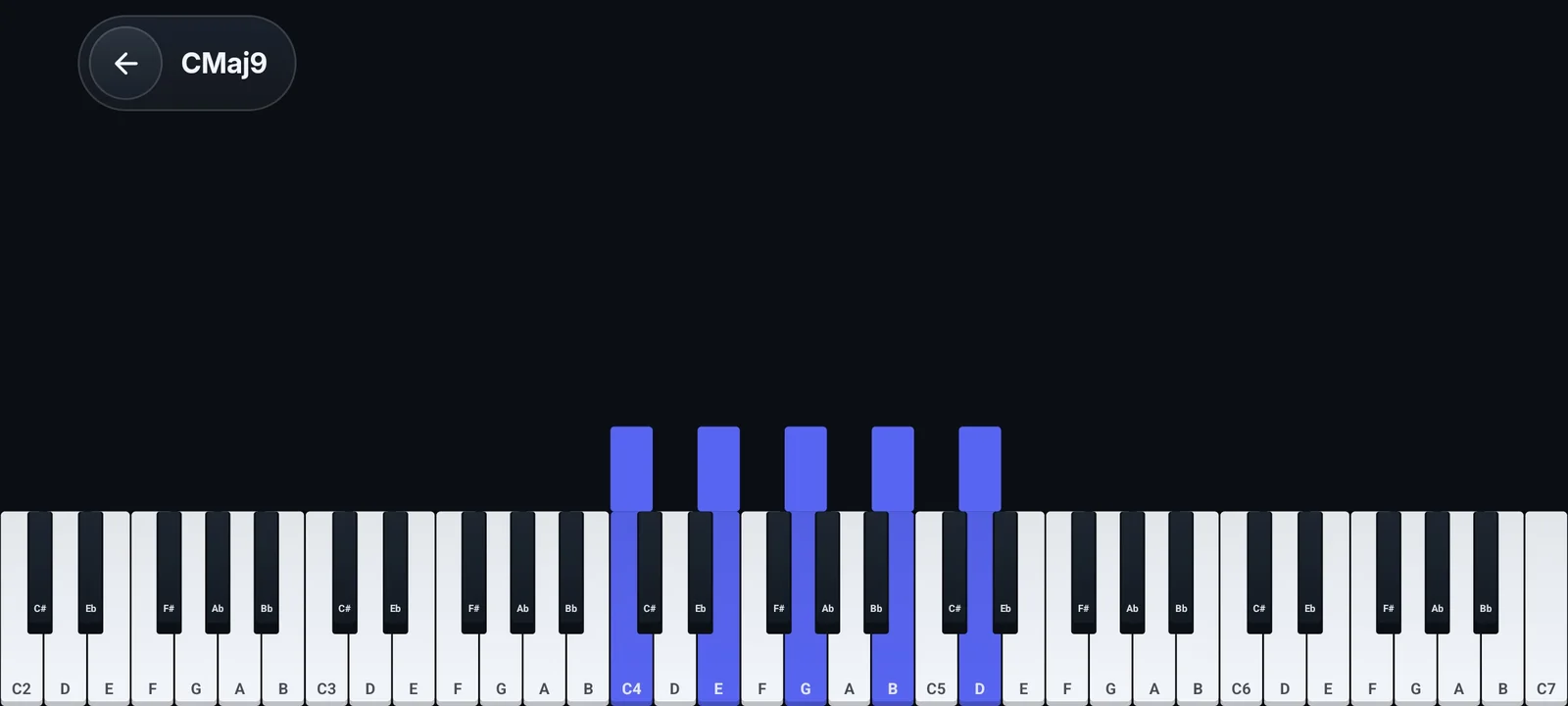
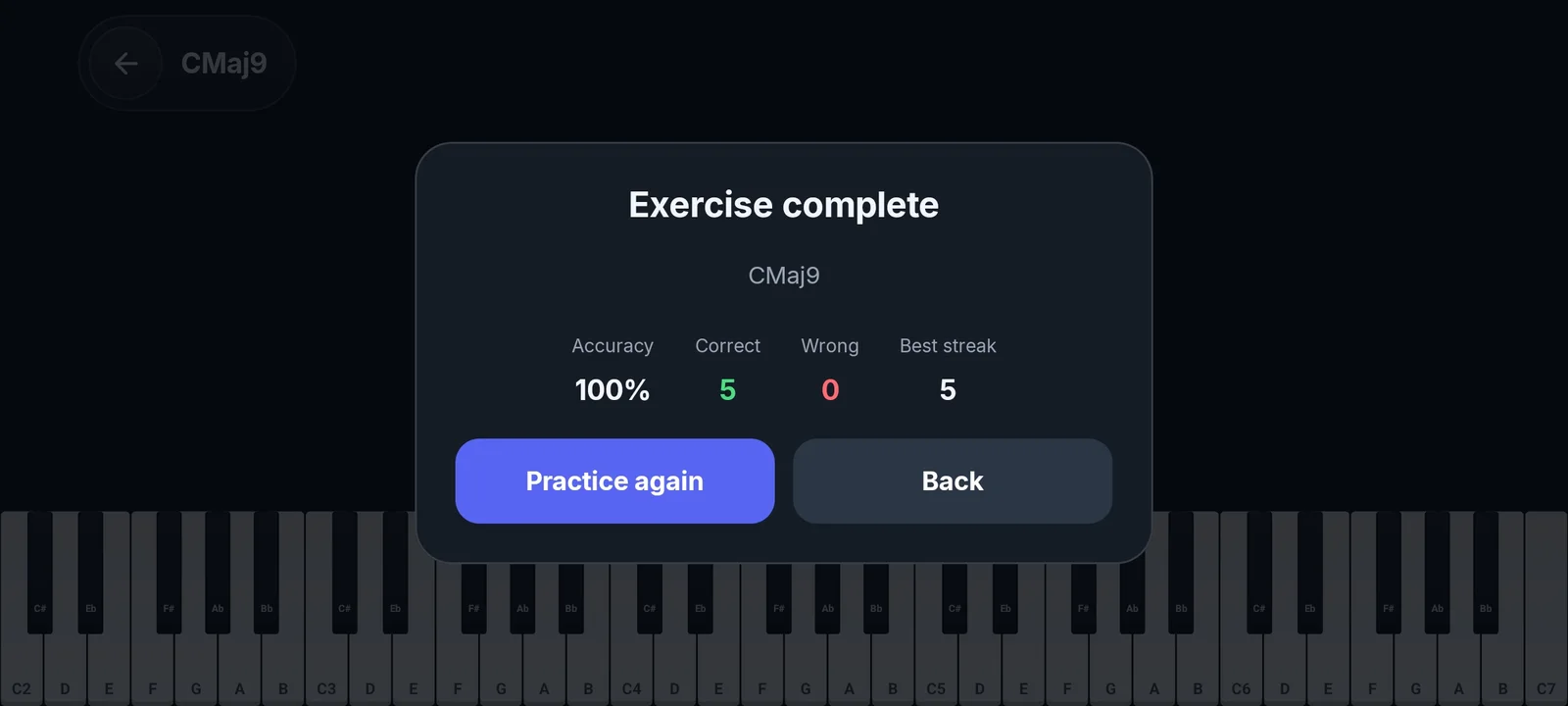
The notes of the chord or scale light up on the keyboard in landscape. Play them, and Papiano scores the exercise with Accuracy, Correct, Wrong and Best streak, so you can practice again right away.
Stuck on the why?
Want to know why a chord sounds the way it does, or which chords go together? Papiano AI answers music theory questions in plain language.
How it works
- 1
Open Learn Music Theory
Open it from Home and choose Learn Chord or Learn Scale.
- 2
Pick a root note
Choose any of the twelve notes, then a chord and its inversion, or a scale or mode.
- 3
Play it
Tap the play button and the notes light up on the keyboard.
- 4
Check your score
See Accuracy, Correct, Wrong and Best streak, then practice again.
Frequently asked questions
Which chords and scales can I practice?
Chords from lists such as Triads, in root position or 1st, 2nd or 3rd inversion, with an optional slash chord. Scales include Major (Ionian), Natural Minor (Aeolian), Harmonic Minor and Melodic Minor, plus Modes. Every one starts from any of the twelve root notes.
Do I need to read sheet music?
No. The notes of each chord and scale light up on the keyboard, so you can play them without reading notation.
How is an exercise scored?
Papiano counts correct and wrong notes and shows your Accuracy and Best streak when the exercise is complete.
Works well with
Learn Song
Practice with falling notes that wait for you. Play on screen or with a MIDI keyboard.
Papiano AI Chat
Chat with Papiano AI about music theory and practice, or ask for a chord progression, in your own language.
Solo Piano
Open the keyboard and play at once. Layer strings over the piano and load your own SoundFonts.