Choose your key, then Generate
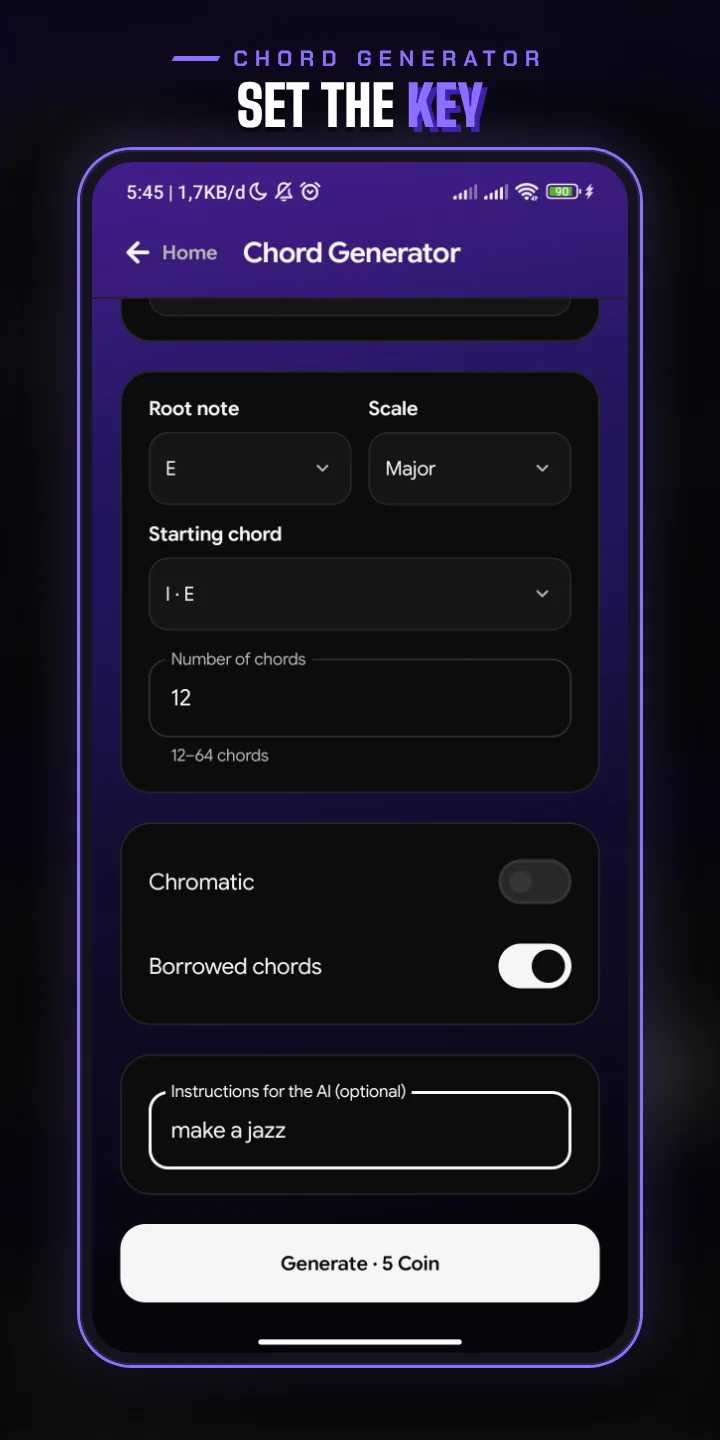
Open the Chord Generator from Home and fill in the form. Choose a level, a root note, a scale and the chord to start from, then how many chords the map should hold, from 12 to 64.
Turn on Chromatic or Borrowed chords to go beyond the key, and add a note for the AI in your own words, such as "melancholic", "jazzy" or "end on a strong cadence".
- Three levels: Basic, Intermediate and Pianist, from plain triads to richer chords.
- Major or minor, in all twelve keys.
- An optional instruction for the AI.
A plan, then a map
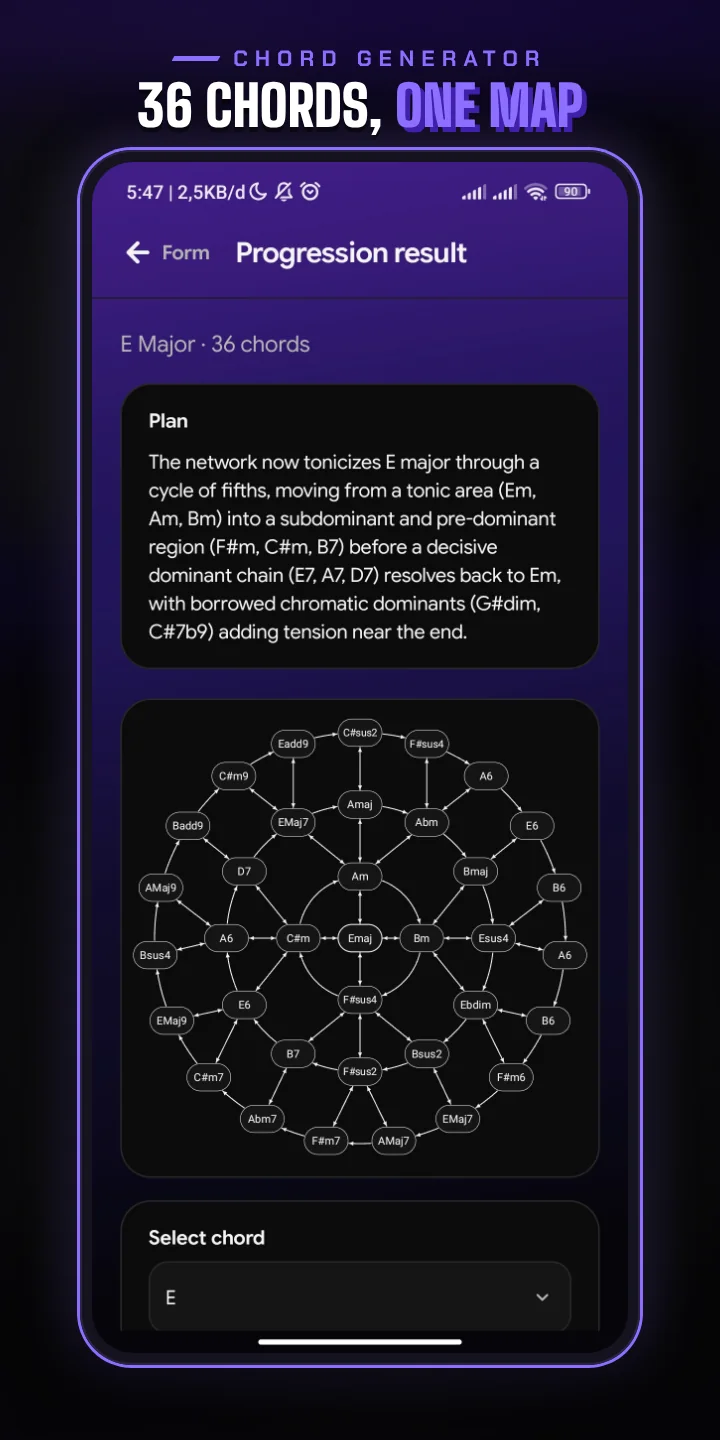
Papiano AI writes a short plan for the harmony first, in your language, then fills the map. Each arrow is a move you can play: from one chord to the next.
- Tap a chord to see its role and why each move from it works, such as a dominant that resolves or a root that moves a fifth.
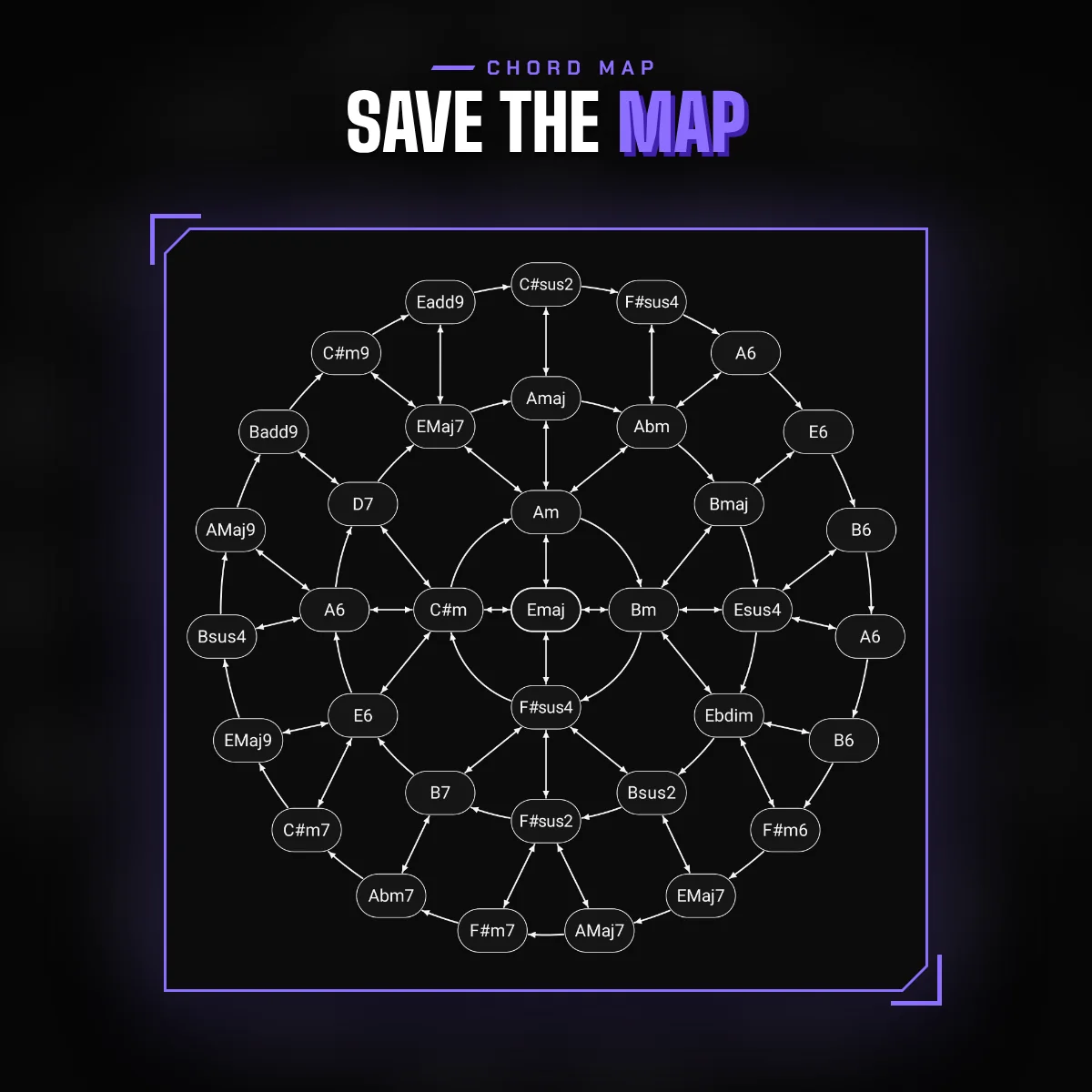
- Change a chord by hand, or save the map as an image to keep or share.
Checked by music theory, not guessed
Before you see a map, every chord and every arrow is checked against music theory rules: chords that fit the level, notes in the key unless you allowed Chromatic or Borrowed chords, and moves that make musical sense. A dominant always has somewhere to resolve.
If the AI cannot produce a map that passes, your Coin comes back in full.
Revise it in plain words
Not quite right? Write what to change, as many changes as you like, such as "Em to Ab" or "a darker ending". Select a chord first and "this" in your note means that chord. You can also ask for a different number of chords. Only what you asked for changes.
- A new map costs 5 Coin.
- A revision costs 1 Coin.
How it works
- 1
Open the Chord Generator
Find it on Home.
- 2
Fill in the form
Choose the level, key, starting chord and number of chords, and add a note for the AI if you like.
- 3
Generate
Papiano AI plans the harmony and fills the map. It runs in the background, so you can wait on the screen.
- 4
Explore and revise
Tap chords to see why each move works, ask for a revision, or save the map as an image.
Frequently asked questions
What is the Chord Generator?
A Papiano AI tool that builds a map of 12 to 64 chords in your key. Every chord and move is checked against music theory rules before you see it.
How much does it cost?
A new map costs 5 Coin and a revision costs 1 Coin. If no map passes the checks, your Coin comes back in full.
Can I use chords outside the key?
Yes. Turn on Chromatic or Borrowed chords. When you revise, a chord you name yourself can also be outside the key.
Does it work offline?
No. The Chord Generator runs on Papiano AI, so it needs a connection.
Works well with
Papiano AI Chat
Chat with Papiano AI about music theory and practice, or ask for a chord progression, in your own language.
Learn Music Theory
Learn chords and scales on the keyboard. Pick a root note, watch the notes light up and play them for a score.
Solo Piano
Open the keyboard and play at once. Layer strings over the piano and load your own SoundFonts.